Collections
A collection is a group of API requests (and folders) you sign off together.
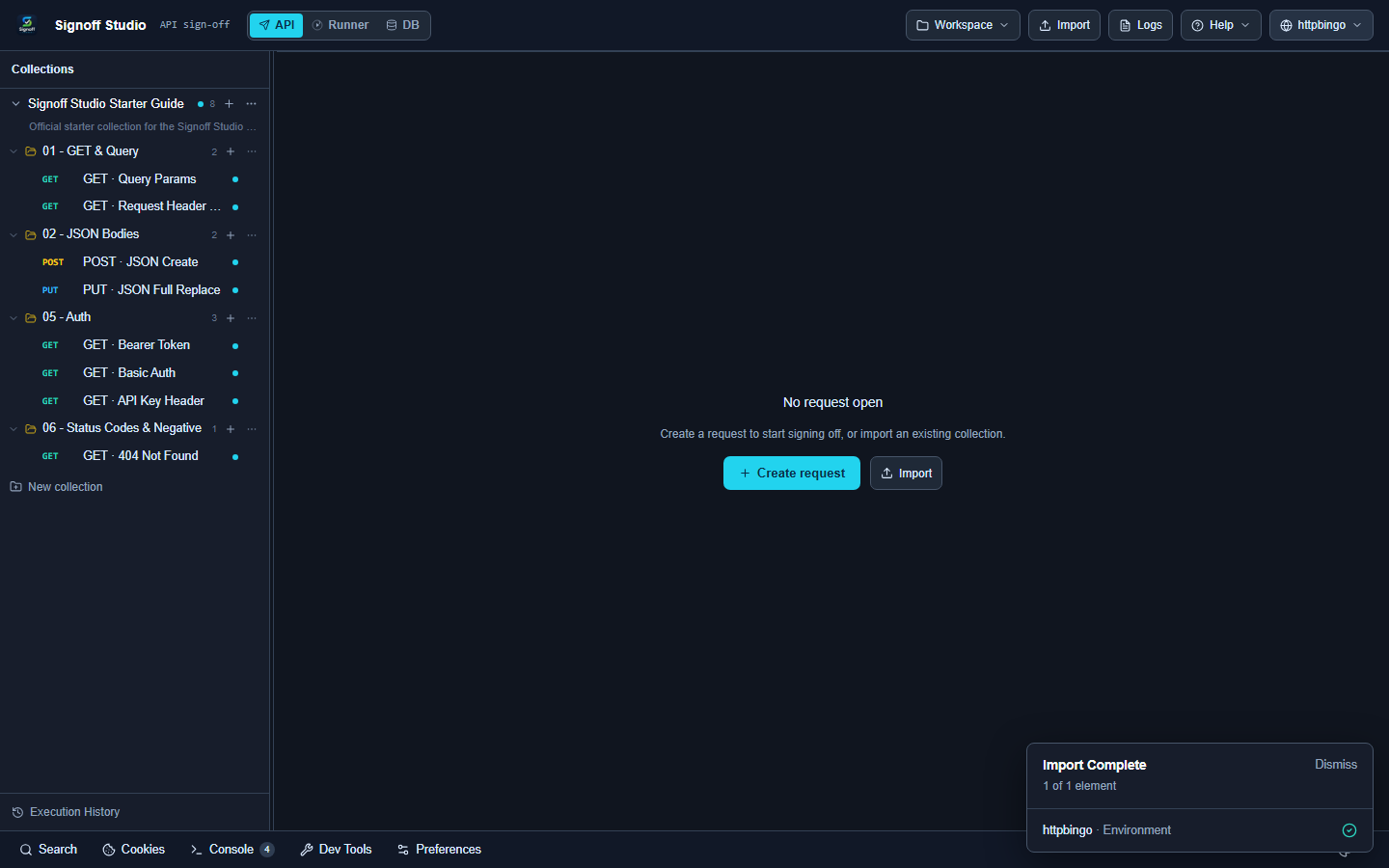
Create a collection
- In API mode, click + New collection in the sidebar
— or choose Create Collection on Welcome. - The new collection appears in the tree.
- Add requests with the + control on the collection row.
Open a request
Click any request (for example GET · Query Params). It opens as a tab with method + name.
Unsaved edits show a red indicator on the tab.
Folders
Use folders to group related endpoints (
01 - GET & Query05 - AuthWhen you Save As, you can create a New folder under a collection.
Starter Guide layout
The docs starter collection is organized like a lesson plan:
| Folder | Focus |
|---|---|
| 01 - GET & Query | Baseline GET + headers |
| 02 - JSON Bodies | POST / PUT JSON |
| 05 - Auth | Bearer, Basic, API key |
| 06 - Status Codes | Negative path (404) |
Next
Need something else? See the FAQ. Questions: [email protected]. Bugs: [email protected].